The main two basic points = Text Size; 12 and the Text Font; Courier.
Here are the steps:
Step 1 = State in the top left hand corner of the script page whether the scene is taking place indoors or outdoors. If it is interior you should but INT and for exterior it must be EXT. This must then be followed by the name or the setting of the place in which the scene is being shot in. Make sure these are in capital letters also.
Step 2 = A small summary is efficient to make the reader/viewer aware of what is going to happen in the story/script and by adding the summary it adds context to the scene. This will allow what the characters are doing clear the the reader of the script.
Step 3 = Of course in any script there should be dialogue. For this you must make sure the name is printed in the centre and in capital letters. After this must go the character's action or expression. This must be put in brackets for example - (Angry) or (throws glass bottle). On the next line after this you may write their dialogue.

To be a successful script writer these guidelines are vital to be followed.
The software that I am using to create my own script (my groups) is called Celtx = this allows us to make the script look professional and because it does the guidelines automatically - it lessens the risk of me doing it wrong.
Below is a script extract from a well-known film:
Below is a script extract from a well-known film:
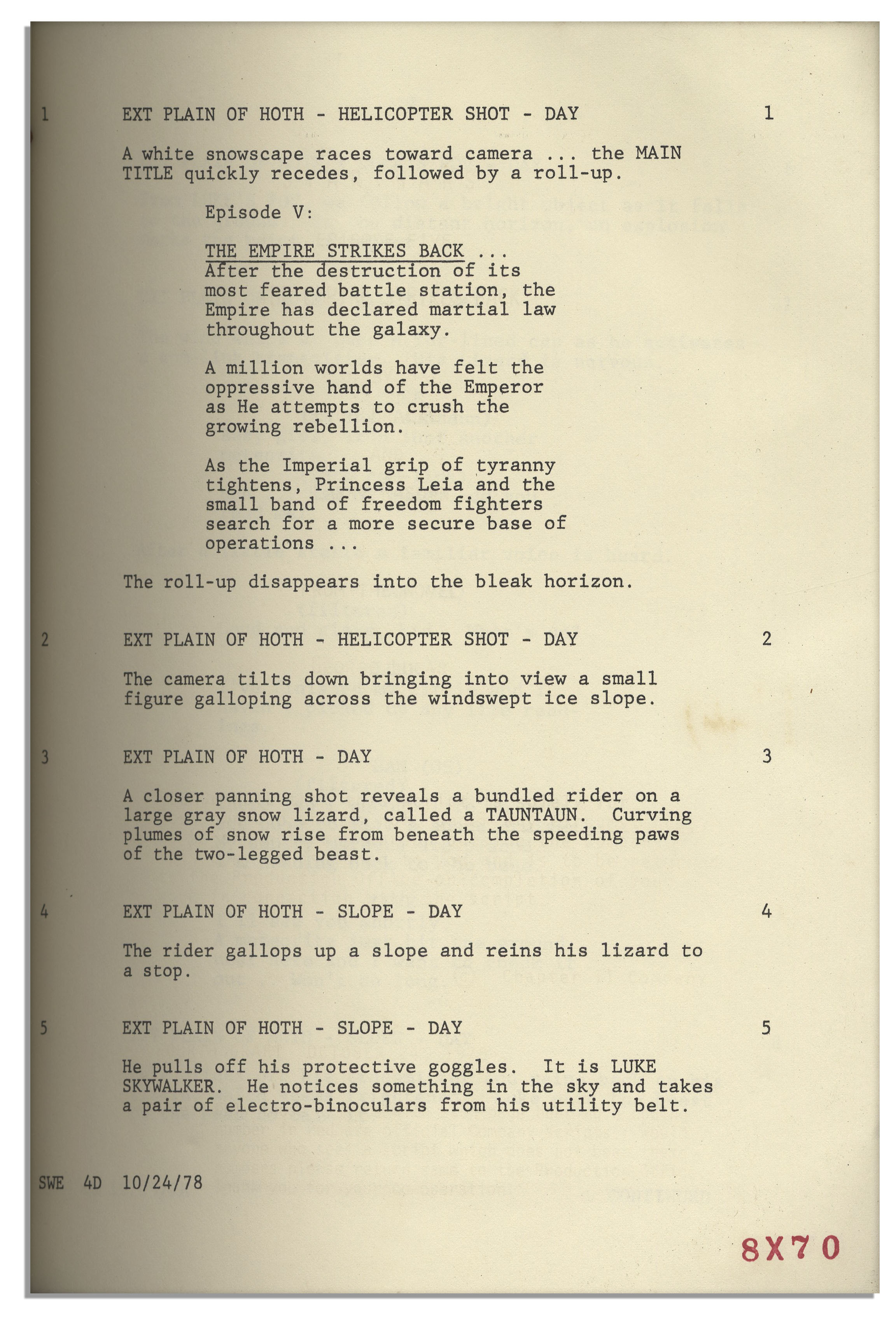 |
| From: 'Star Wars Episode V' |
